

Draining Pulse 2.0 air receivers
Pulse 2.0 air receivers can be drained by clicking Drain air receivers from the Home screen. You can then set the desired target pressure to drain down to, defaulting to empty. Any connected Pulse 2.0 air receivers will have their main release valve opened and air will slowly be released into the atmosphere.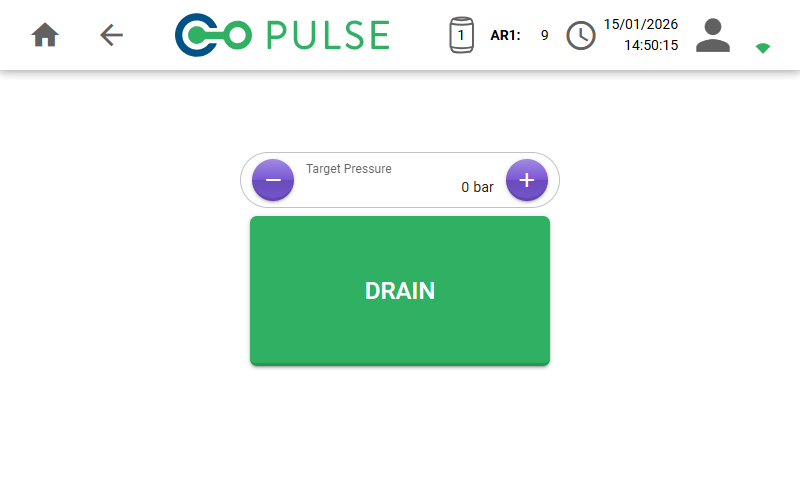
Pulse 2.0 air receivers must be powered and connected to the controller to enable draining.
Draining Pulse 3.0 air receivers
Pulse 3.0 air receivers only have a manual drain valve and cannot be drained using the software. To drain a newer air receiver, the drain valve should be manually opened using the switch on the top of the air receiver.Refer to draining air receivers to learn how to drain a Pulse 3.0 air receiver.